Free Rewards in Chained in Backrooms
Group join + Like & Favorite — the reliable freebie while codes are empty.
Why this free reward matters
Chained in Backrooms currently lists no active promo codes, so the developer freebie is the best guaranteed gift. On the official Roblox description, Musta and Alexander tell players to:
- Join the Musta and Alexander group.
- LIKE and FAVORITE the game.
Do both, then rejoin the experience so the reward can sync. This page walks through each step, common failures, and how the gift fits into a normal co-op session. For promo strings (when they exist), use How to Redeem and the status board on the Codes Hub.
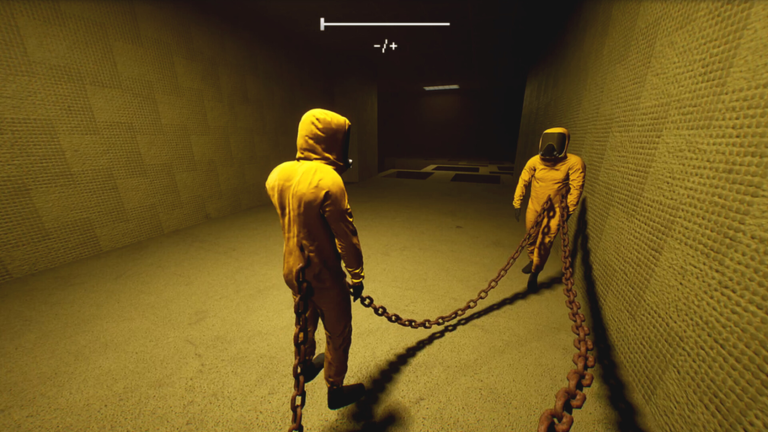
The game itself is free to play: a mission-based obby horror co-op for 1–8 chained players, released 21 April 2025, with 110M+ visits. Supporting the creators with a like and favorite costs nothing and unlocks the advertised perk.
Step-by-step: join Musta and Alexander
- Open Roblox on web or app while logged into the account you will play on.
- Search for the group Musta and Alexander (the studio behind this place).
- Open the group page and press Join Group / Join.
- Confirm membership shows on your profile groups list.
- Keep the group joined — leaving can remove group-gated perks in many Roblox games.
If the join button is greyed out, check age restrictions, privacy settings, or whether you already joined on another session. Group walls sometimes announce events; skimming them also helps you catch future updates and rare code drops.
Step-by-step: Like & Favorite the game
- Open the official place: Chained in Backrooms on Roblox.
- On the experience page, click the thumbs-up / Like control so your vote is counted.
- Click the Favorite (star) control so the game appears in your favorites list.
- Optionally enable notifications for the experience if you want patch alerts.
- Press Play and fully load into the lobby.
Both Like and Favorite are required according to the official free-reward blurb. Doing only one of the two is a common reason players say “I joined but got nothing.”
After joining: force a sync
Roblox group and social flags do not always update mid-session.
- Leave the server completely.
- Confirm group membership and that Like + Favorite still show on the place page.
- Rejoin Chained in Backrooms.
- Wait in the lobby for a reward popup, backpack item, badge, or perk indicator.
- If nothing appears after several minutes, hop servers once more.
Still stuck? Try a different device (phone vs PC) on the same account — UI bugs happen. Do not create a new account just for the gift; teach your main through Getting Started instead.
What this reward is (and is not)
| Expectation | Reality |
|---|---|
| Free perk tied to group + social actions | Yes — that is the advertised path |
| Replacement for skill / chain timing | No — hard stages still wipe uncoordinated parties |
| Same as typing a promo code | No — see How to Redeem for codes |
| Permanent for that account while conditions stay met | Usually yes; leaving the group can revoke perks |
| Shared automatically to friends | No — each account must join / like / favorite |
Treat the gift as a bonus, then invest time into roles and difficulty knowledge: Team Roles, Level Difficulty, Entities, and Items.
Party leader tips
Before a serious clear, ask everyone in voice chat:
- “Did you join Musta and Alexander?”
- “Did you Like and Favorite the game?”
- “Did you rejoin after doing those steps?”
Add those questions to the Team Ready Checklist. Parties that skip the freebie then complain about missing cosmetics mid-run waste lobby time. Leaders can paste the Roblox place link once and wait sixty seconds before chaining into Maze or Obby warmups.
Scams and fake reward pages
- Never enter your password on lookalike “reward claim” websites.
- Never pay Robux to a stranger who promises to “unlock the group gift.”
- Never download an executor “just for the free reward.” Read Scripts for account-risk warnings.
- Verify you are on roblox.com and the place ID matches the official game.
Fan wikis like this one only document public steps. We are not affiliated with Musta and Alexander; see Wiki Links for official destinations.
Pairing free rewards with real progress
Once the perk is claimed:
- Warm up on easier stages (Maze / Obby) from the difficulty tier list.
- Assign Front of chain, Middle, and Back before Glass Bridge or Boss rooms.
- Call out entity audio cues using habits from the Entities guide.
- Track interactables with the Items overview so keys and levers are not double-claimed.
- Recheck the Codes Hub after big patches in case a limited string finally appears.
Free rewards help morale. Clear communication clears chapters. Do both.
Claim checklist (all three steps)
You need the Musta and Alexander group join plus both Like and Favorite. Skipping Favorite is a common miss. Rejoin the experience after claiming so the reward can sync. Each Roblox account claims separately; leaving the group can remove group-tied perks.
Frequently Asked Questions
Quick answers to the most common questions.
What is the free reward for Chained in Backrooms?
Join the Musta and Alexander Roblox group, then like and favorite the official game. Rejoin so the perk can sync.
Do I still need promo codes?
Not for this gift. Promo codes are separate and currently inactive — see the Codes Hub for status.
I joined the group but got nothing. Why?
Make sure you also liked and favorited the game, then fully rejoin. Sync delays and missing one of the three steps are the usual causes.
Can my whole party share one account’s reward?
No. Every Roblox account must join the group and complete Like & Favorite on its own.