Getting Started in Chained in Backrooms
Claim the free reward, build a party of 1–8, and clear your first chained missions without rage-quitting.
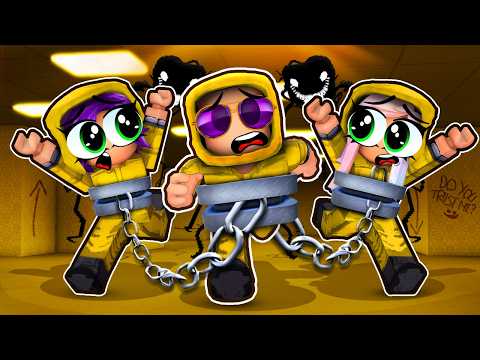
Chained in Backrooms is a free Roblox Obby & Platformer horror co-op by Musta and Alexander (place 103731330407395). Released 21 April 2025 and inspired by the Chained in the Backrooms concept, it locks your squad on a shared chain while you escape mazes, beat mini-games, and outrun creatures. This page is the day-one checklist: rewards, party setup, first zones, and links deeper into the wiki.
Claim the free reward before you queue
The experience page advertises a free in-game reward for supporting the creators. Do all three steps before a serious run:
- Join the Roblox group Musta and Alexander.
- Like the game.
- Favorite the game.
Missing any step can delay or block the gift. It takes under a minute and is the only “code-like” freebie most new players should care about right now—see Codes for the current redeem-code status (none active at the moment).
Pick a party that can actually talk
You can play with 1–8 players. Solo is allowed and useful for learning layouts, but the design assumes teamwork: someone falls, someone Pulls; someone freezes for Red Light Green Light while another watches the caller. Ideal early parties are 3–5 friends on Discord or Roblox chat. Larger groups of eight are fun for chaos runs, but every extra body adds chain noise on precision platforms.
Before teleporting in, agree on:
- One caller who reads objectives and counts jumps.
- A rule against pushing on Glass Bridge for “fun.”
- Who will interact with arcade machines, levers, and piano prompts so two people do not fight the same prompt.
Role ideas also live on the Players hub if you want named callouts for leader, jumper, and lookout.
First session goals (about one hour)
Treat the first hour as orientation, not a speedrun.
- Learn movement: WASD, Space jump, Shift sprint, mouse look, E interact, C crouch/hide, 1–3 tools, and Pull (controller R2 or the on-screen pull action). Full detail sits in Controls.
- Feel the chain: walk until the tether tightens, then practice stopping together. Read Chain Mechanics the same night.
- Clear early Chapter 1 zones: Escape the Maze → The Obby → Red Light Green Light. Stop for water or a stretch if Tower Obby starts tilting tempers.
- Earn early badges such as Tragectory Welcomers and You joined the backrooms simply by entering and progressing.
If a wipe happens, do not reshuffle the whole friend list—fix the failed mechanic once, then continue.
What the opening chapters feel like
Chapter 1 strings roughly 10–11 mission zones. You will see Escape the Maze, Complete the Obby, Red Light Green Light, Tower Obby, Arcade (find the machine and beat the mini-game), Glass Bridge, Boss Fight, The Train, Rocks & Flowers, Boss Battle, Simon Says-style segments, then Going Home / Destiny / Piano near the end. Chapter 2 opens after the Chapter 1 complete banner and shifts toward research-facility puzzles, color sequences, lava lanes, and lever work—covered in Chapter 2.
Expect mild fear jumps and creature pressure rather than hard gore. The Roblox maturity labels list occasional/mild fear and violence. Voice chat is not supported on the experience page, so plan external voice or fast text.
Party tips that prevent 90% of early rage
Stay within rope length on purpose. If the front runner sprints while the back player loots, the chain snaps everyone into walls or off ledges. Call “hold” before interactions.
Use Pull as a revive tool, not a prank. When someone dies or hangs on a broken glass panel, a timed Pull can yank their body or avatar back toward safety. Practice this in low-stakes rooms before Bridge.
Sacrifice spacing only when the mission forces it. Some stages hint that more players help because someone may need to be left behind or used as weight. Decide those moments as a group—never surprise-kick a friend for content without consent.
Watch the zone counter. Chapter 1 shows remaining zones across the top of the HUD. Celebrate small clears; momentum matters more than perfect times.
Keep one browser tab on this wiki. Mid-run, open the Walkthrough for the next named room, or Survive Creatures if chase AI is farming you.
Soft progression checklist
- Group joined + like + favorite claimed
- Controls remapped / remembered on your device
- Party caller chosen
- First maze + obby cleared once
- Pull practiced successfully
- Bookmarked Guides Hub, Updates, and Official Links
After your first clear of a few zones
Once Escape the Maze and The Obby feel easy, graduate to Tower Obby and Arcade using the walkthrough. If you care about loadouts or who should lead jumps, skim the Tier List for party-role advice. Script users should read Scripts for safety notes—this wiki does not encourage breaking Roblox ToS.
New players who follow this page, claim the free reward, and run with a talking party usually finish more of Chapter 1 on night one than silent random lobbies do in a week. When you are ready for the full route, move on to the Walkthrough and keep Chain Mechanics open in a second window.
Frequently Asked Questions
Quick answers to the most common questions.
Is Chained in Backrooms free?
Yes. It is free to play on Roblox. Claim the extra free reward by joining the Musta and Alexander group and liking plus favoriting the game.
How many players can join one run?
Parties support 1–8 players chained together. Three to five friends with voice is the sweet spot for learning.
Do I need codes to start?
No active redeem codes are listed right now. Focus on the group like/favorite reward and check the Codes hub after updates.
Can I play solo?
Yes, but expect harder Pull-dependent rooms and slower puzzle clears. Solo is best for learning paths before inviting friends.
What should I unlock first?
Claim the free support reward, learn Pull and crouch, then clear Escape the Maze and The Obby before attempting Tower Obby or Glass Bridge.
Where is the official game page?
Use the Official Links hub for the Roblox place, group, and community destinations curated for this wiki.