Chained in Backrooms Controls (PC, Mobile & Controller)
Every important bind for chained co-op—especially Pull, crouch, and interact timing.
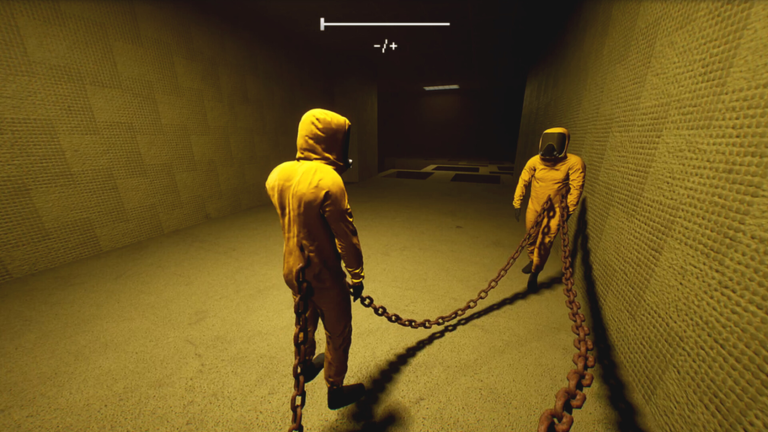
Good inputs will not solo-carry Chained in Backrooms, but bad inputs guarantee wipes. This controls guide documents the standard PC layout used by most guide writers, notes controller/mobile equivalents, and explains when to press each bind while tethered. Read it beside Chain Mechanics before your first Tower Obby.
PC keyboard & mouse (primary layout)
| Action | Default | Notes |
|---|---|---|
| Move | WASD | Strafe together; opposite strafes twist the chain |
| Jump | Space | Jump only with slack on the rope |
| Sprint | Shift | Chain may limit effective speed when taut |
| Look | Mouse | Keep camera useful for the caller’s callouts |
| Interact | E | Doors, arcade, levers, piano, pickups |
| Pull | On-screen / prompt (pad R2) | Rescue & recenter along the tether |
| Tools | 1–3 | Swap held tools if the run grants any |
| Crouch / hide | C | Line-of-sight breaks; match party height |
| Chat | T or / | Essential because in-place Voice Chat is unsupported |
If your Roblox keybinds differ, open Roblox settings and align Jump / Interact before blaming the game. Screenshot your layout for friends so callouts match reality.
Controller notes
Many players map Pull to R2. Face buttons cover jump and interact depending on your Roblox controller profile. Practice Pull in Escape the Maze until the timing feels like a hooked rope, not a random tug. Analog stick sprint (usually click or a bumper, per profile) still obeys tether limits—holding sprint into a wall only adds camera noise.
Mobile / touch tips
Touch thumbsticks make fine bridge work harder. Recommendations:
- Increase joystick sensitivity slightly for look, not for move.
- Use a grip that lets you tap Jump without releasing the stick entirely.
- Prefer parties where at least one PC player takes front scout.
- Enable shift-lock style camera if your client offers it and your team agrees.
- Type short callouts (“hold”, “pull”, “red”) instead of essays mid-chase.
Mobile players should claim the free group like/favorite reward from Getting Started on a stable connection before long sessions—hotspot drops mid-Pull feel awful.
Action-by-action deep dive
Move & look
Walk as your default. The chain rewards predictable paths. When the caller says “left,” commit as a file. Mouse look should preview the next platform before you jump, especially on Train timings in the Walkthrough.
Jump
Space on a taut rope is how highlight reels of failure are born. Wait for the previous jumper to land. If someone is hanging, Pull first, jump second.
Sprint
Shift is for clear hallways and agreed chase segments. It is not for arcade cabinets or piano prompts. If sprint feels “broken,” you are probably hitting max tether length—see Chain Mechanics.
Interact (E)
Only one player should spam E on a shared prompt. Others hold WASD neutral. Fighting over the arcade machine wastes more time than the mini-game itself. Chapter 2 levers and color panels use the same rule: one interacter, multiple lookouts.
Pull
Pull is the signature co-op verb. Use it after glass breaks, after boss knocks, and whenever a friend overshoots a landing but remains tethered. Call before pulling so jumpers are not airborne. Controller players: bind muscle memory to R2 before Boss Battle.
Tools 1–3
Not every segment grants tools, but when they appear, pre-assign hotkeys. Saying “swap to 2” is faster than describing the icon while a creature approaches. Keep Survive Creatures open if tool use lines up with chase rooms.
Crouch / hide (C)
Crouch lowers profile and can satisfy hide zones. Mismatched crouch states still transmit rope force—if the squad hides, everyone hides. Stand only on the caller’s go.
Chat (T)
Because Voice Chat is unsupported on the experience page, text is a real control. Bind chat comfortably. Prefire macros or Discord overlays if your group prefers voice elsewhere. Quiet parties fail Simon Says and Red Light Green Light more often than loud ones.
Accessibility & comfort
- Lower horror audio slightly if jumpscares tilt you, but keep enough volume for entity tells.
- Colorblind players should ask teammates to name colors aloud during Simon Says and Chapter 2 sequences (Chapter 2).
- Take breaks between Chapter 1 bosses; input quality drops when hands tense.
- Rebind conflicting browser shortcuts if you play Roblox in browser.
Practice routine (15 minutes)
- Two minutes walking without sprint while watching rope stretch.
- Two minutes jump–land–Pull drills on a safe ledge.
- Two minutes crouch sync across the whole party.
- Two minutes single-interacter door drills.
- Remaining time: first Maze rooms from the Walkthrough with callouts only.
Troubleshooting inputs
| Problem | Check |
|---|---|
| Pull does nothing | Confirm prompt / R2; ensure target is still tethered |
| Sprint ignored | Rope at max length; release and regroup |
| Interact fails | Another player holds prompt; move closer; wait animation |
| Crouch desync | Everyone press C on count |
| Chat blocked | Roblox privacy settings; age group restrictions |
Related wiki links
Return to the Guides Hub after remapping. Compare roles on Players and Tier List. Track patches that change binds or UI on Updates. Redeem status remains on Codes. Official destinations sit on Official Links. Script tooling discussion—with safety first—is on Scripts.
Learn the binds once, then stop thinking about them. The goal is unconscious Pull timing while your brain tracks the next objective banner—not hunting the keyboard while the bridge collapses.
Frequently Asked Questions
Quick answers to the most common questions.
What is the most important bind to practice?
Pull. Rescues and recenters decide Glass Bridge and boss recovery more than raw jump accuracy.
Why does sprint feel weaker sometimes?
When the chain is taut, sprint cannot separate you further. Regroup until slack returns.
Is there voice chat in the experience?
The Roblox listing notes Voice Chat is not supported. Use Discord or the T chat bind.
Do mobile players belong in the front?
Usually no for precision rooms. Put mobile in the middle or rear while a PC scout leads.
Can I rebind keys?
Use Roblox’s settings for supported actions, then tell your party so callouts match your layout.
Where should I go next after learning controls?
Read Chain Mechanics, then attempt early Walkthrough zones with a designated caller.